
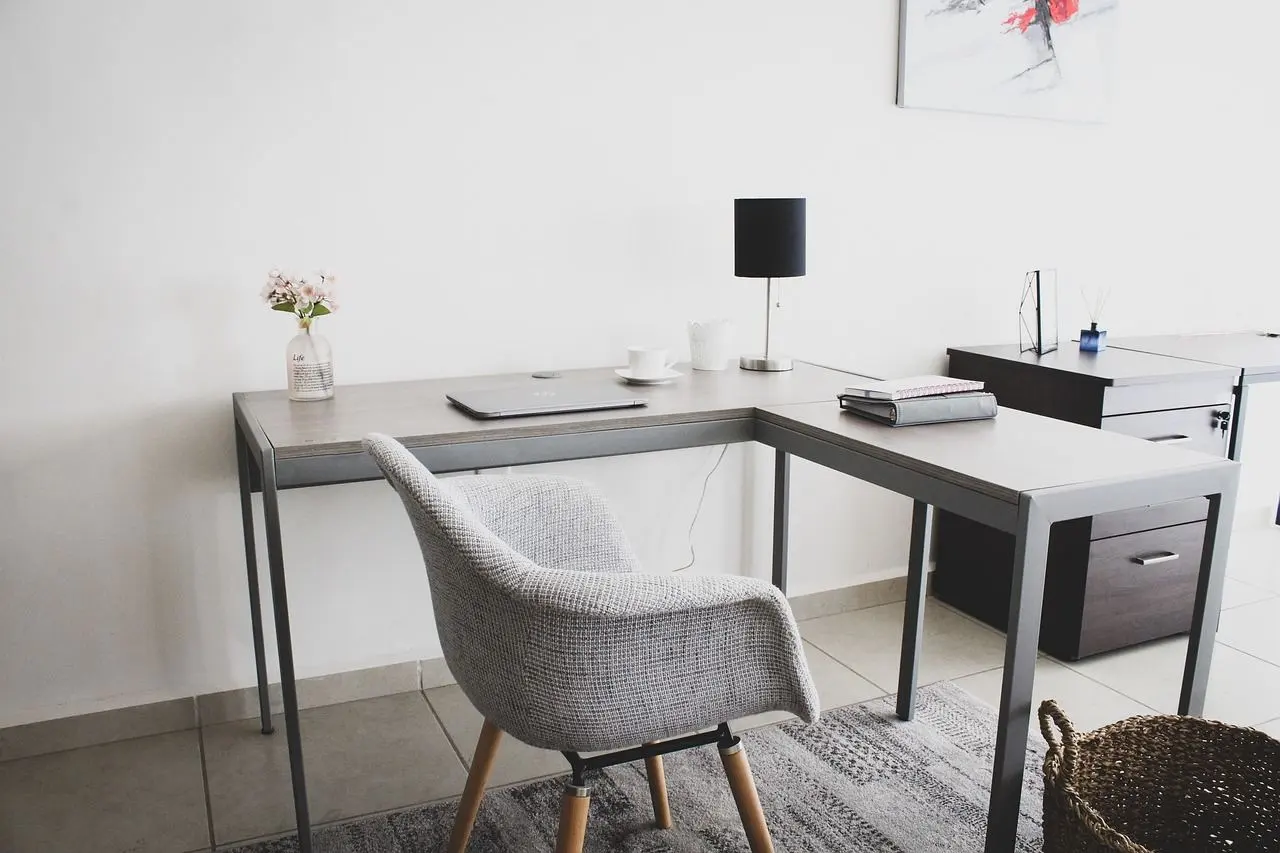
Short on space but need somewhere to work? The best small home office ideas are simple: give yourself a dedicated spot, raise your screen, support your back and tame the light.
This guide is part of the small space living collection, which looks at practical ways to make compact rooms work harder.
| Item | Value |
|---|---|
| Elbow angle at the desk | 90 degrees |
| Screen line of sight | Within the top third of the screen |
| Monitor distance | About an arms length away |
| Movement breaks | Every 30 minutes |
| Monitor position relative to a window | 90 degrees to a window |
The figures come from University of Kentucky Human Resources and the University of Pennsylvania’s EHRS. Guidance can change, so check the source before you rely on the figures.
Pick a spot that works as an office
Start by designating a specific place for work, even if it is only a corner. The University of Kentucky suggests a room with a door if possible, so you can leave your work behind at the end of the day, as its home workspace tips explain.
Surface height matters more than surface size. Kitchen tables are typically higher than you want, which could hurt your shoulders or neck, while a card table tends to sit a little lower, according to the same guidance.
If you have no spare room, these spots can all be turned into a workable desk:
- A bedroom corner with a compact desk against the wall.
- One end of the dining table, cleared at the end of the day.
- A living room alcove or hallway with a narrow table.
Pieces that do double duty can help here, and our guide to multifunctional furniture for small spaces covers furniture that can share a room with a desk.
Try not to make the couch or bed your permanent desk. The University of Pennsylvania warns that it is tempting to sit on a cushioned couch or to sit up in bed, but prolonged sitting in those positions can hurt your lower back, as its home ergonomics page notes.
Get the chair and desk heights right
Office workstations are set up so your joints stay aligned, and the target is 90 degrees. Health and Wellbeing Queensland says your ankles, knees, hips and elbows should all sit at that angle.
You do not need a full office chair to get close. Work through this list from the floor up:
- Feet: keep them flat and supported, and slide a large book underneath if they dangle.
- Seat: if your chair is too low, sit on a cushion to reach the correct height.
- Lower back: a rolled-up towel or small blanket can add lumbar support.
- Arms: rest them flat on the desk with wrists neutral, not flexing up or reaching down.
The cushion and towel tips come from the University of Kentucky, while the foot and wrist advice comes from the Queensland guidance. A solid dining chair with a cushion and a towel is a sensible compromise when there is no room for anything bigger.
How do you set up a laptop in a small space?
A laptop is the natural choice when space is tight, but it is hard on your neck. Opening one on the dinner table tends to have you looking down, creating a strained neck position that causes stiffness in the neck and shoulders, as Health and Wellbeing Queensland describes.
The fix is to raise the screen. If you do not have a monitor stand, the University of Kentucky suggests books or a ream of paper, and Penn EHRS lists boxes, other solid surfaces or a laptop riser.
Once the screen is up, you need a separate keyboard. An external keyboard and mouse works best for flexibility and space to spread out your shoulders, according to Kentucky’s tips, and the same page says not to put the laptop directly on your lap.

Use these checks to confirm the screen is in the right place:
- Your line of sight should land within the top third of the screen.
- The monitor should sit about an arms length away.
- The screen should be straight in front of you, not off to one side.
The first point is from the University of Kentucky and the distance is from the University of Pennsylvania.
Light the space and avoid glare
Small rooms often have one window and little else. Health and Wellbeing Queensland says bright, natural light is best for working on a computer or reading, and that low light strains your eyes.
Where you put the screen matters as much as the light itself. The best position is a monitor at 90 degrees to a window, and blinds can diffuse direct sun, according to Penn EHRS.
If your only spot is a basement or a dim corner, Kentucky’s guidance suggests task lighting angled behind your screen to soften the contrast. Give your eyes a rest too: a couple of minutes away from the screen once or twice an hour helps, as the Queensland guidance says.
Keep the space tidy and keep moving
A desk that shares a room needs a clear end-of-day routine. Packing the laptop and papers into a basket or shelf makes the room feel like a home again, and ideas from other cramped rooms carry over, as these small bathroom storage ideas show for vertical space.
Good set-up only goes so far, because you also need to move. The University of Kentucky recommends taking breaks to stretch every 30 minutes, a rhythm its checklist repeats alongside a screen break for your eyes.
In a small home, a cheap reminder is enough: stand up when you refill your water, or walk to the next room between calls.
Frequently asked questions
Can I work from the dining table every day?
Show answer
It can work if you adjust it. Pair the table with a cushion or a supportive chair, then lift the screen and add a separate keyboard, as described by the University of Kentucky.
What if my feet do not reach the floor?
Show answer
Give them something stable to rest on, such as a footrest or a thick book. Penn EHRS says feet should stay on the floor or on a foot rest when you raise the chair to get your arms in the right position.
Is a laptop enough for a home office?
Show answer
For a short stint, yes. For regular use, Penn EHRS says laptops are not designed to be your primary computer, so plan on a riser, keyboard and mouse.
What should I do if the setup still hurts?
Show answer
These tips are general information and not medical advice. The University of Kentucky says that if you are experiencing pain or injury, you should seek medical care, as stated in its disclaimer.